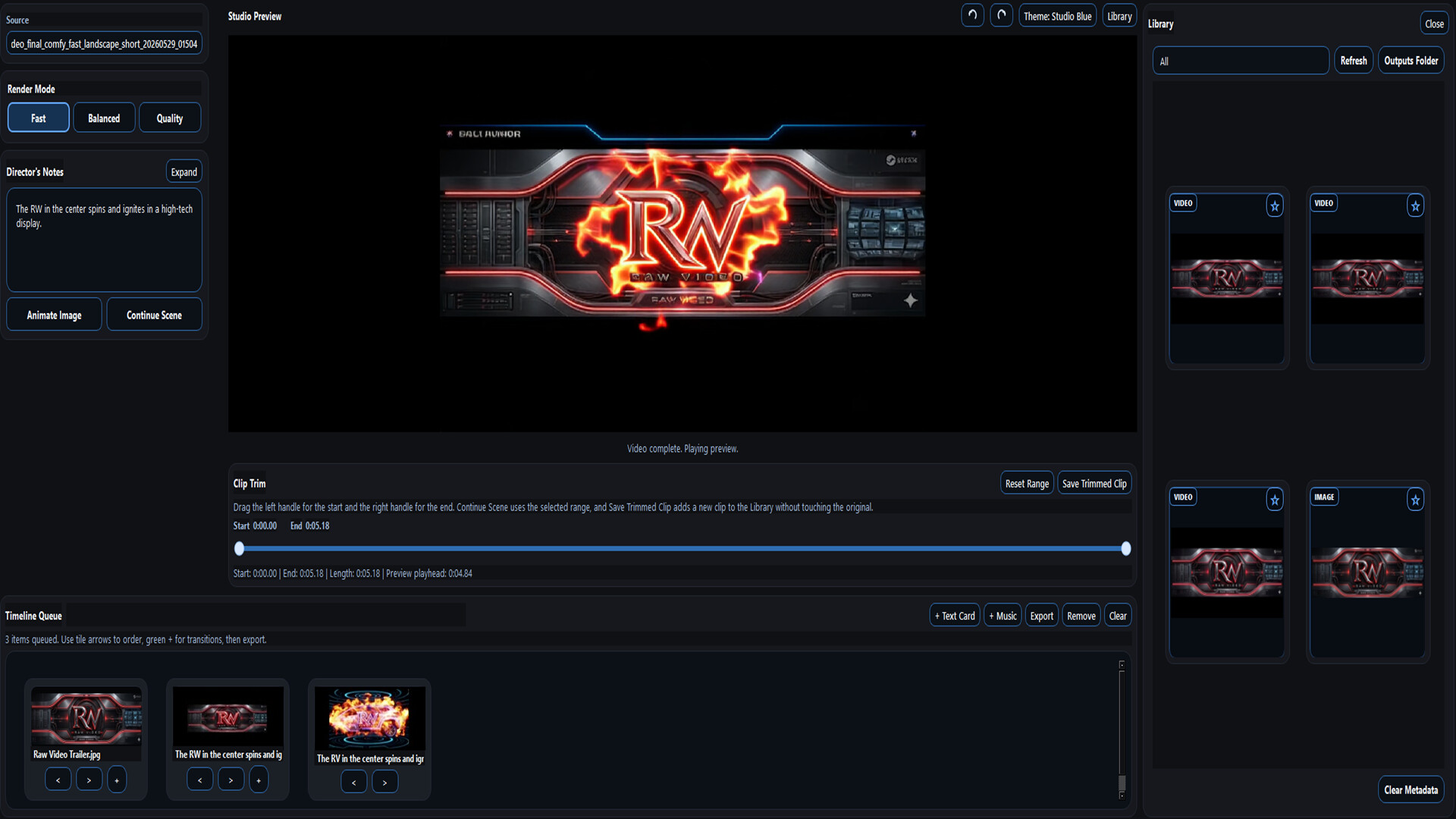

Raw Video is a high-end local Windows image-to-video engine that turns still images into short animated clips using bundled local AI models, Custom Director’s Notes, and 1080p-class final export.
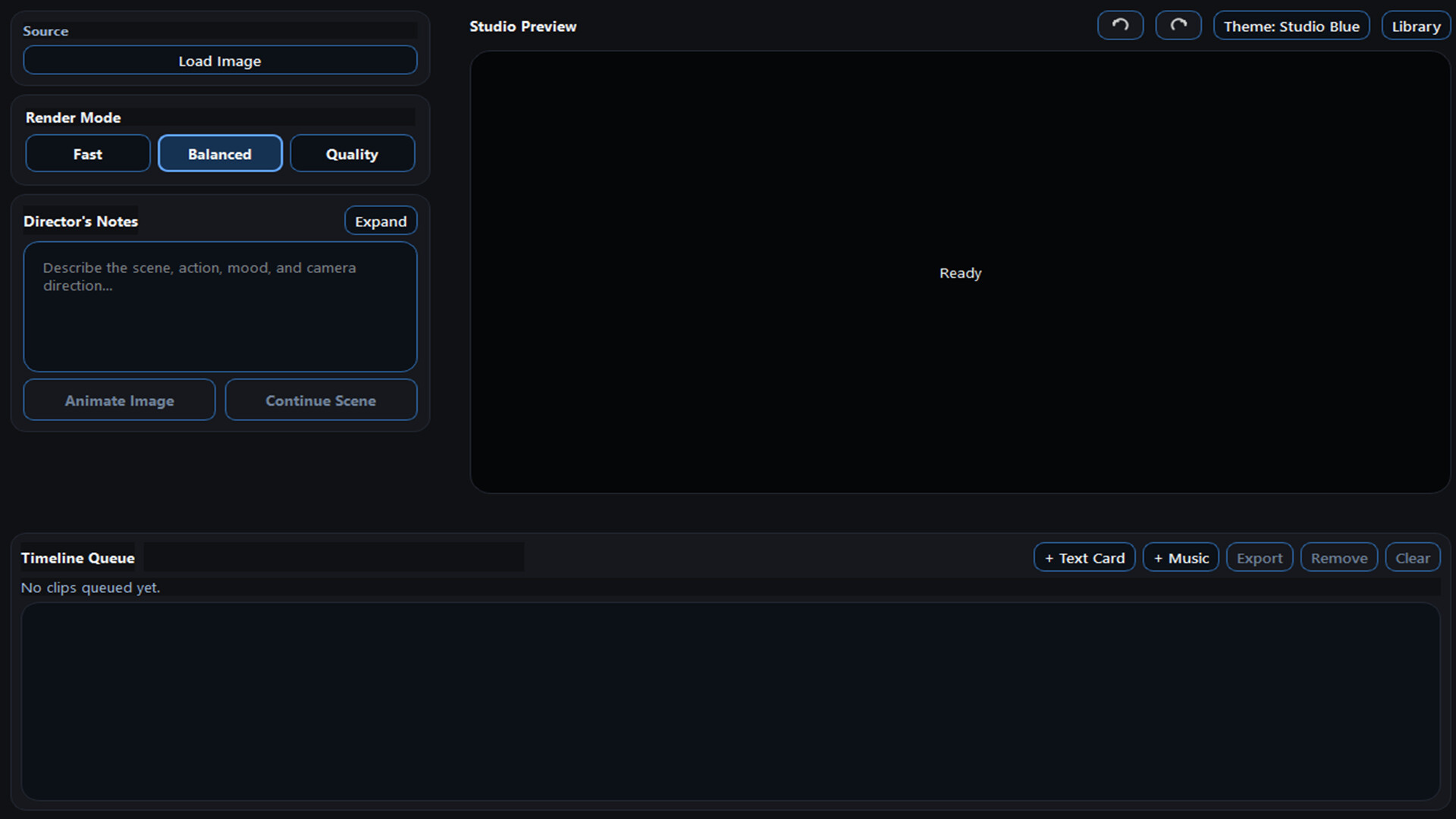
About This Software Raw Video is a local Windows image-to-video studio that turns still images into short animated clips. Load an image, write custom Director’s Notes, choose a render mode, and generate a short video clip locally on supported
NVIDIA RTX
desktop hardware. Raw Video is built for creators who want a simple local workflow without model hunting, broken download links, cloud credits, generation tokens, or complicated setup. Core Features Image-to-video animation from still images Simple Director’s Notes workflow Fast, Balanced, and Quality render modes Bundled local video engine and required model files No separate model search or manual folder setup Short Clip generation for launch Automatic output aspect based on the imported image: Landscape images render at 1920x1080 Vertical images render at 1080x1440 Square or near-square images render at 1080x1080 Local frame interpolation for smoother final videos Local Library for generated clips Clip trimming tools Continue Scene workflow Timeline queue with stitching, still-image cards, and user-imported music Local safety checks for source images, prompts, and generated outputs Local Generation Raw Video runs locally on supported Windows PCs. Steam installation, updates, ownership verification, and first-run activation may require an internet connection, but video generation itself does not require cloud credits, generation tokens, or a cloud render queue. Raw Video includes the local video models and runtime components it needs to run. Users do not need to search for separate model files, download unofficial packages, assemble folders manually, or rely on external links that may change over time. The installation size is large because the local video engine, bundled runtime, required model files, and video-processing components are included with the app. Render Modes Raw Video includes three internal render modes: Fast is the quickest mode and offers the broadest compatibility. Balanced is the recommended default for most users. Quality is slower and sharper, with higher detail, and may require stronger hardware. All render modes are limited to Short Clip duration for launch. Longer durations are planned for future updates and may require more VRAM, more storage, longer render times, and stronger hardware. Output Behavior Raw Video automatically selects output dimensions based on the imported image: Landscape images render at 1920x1080 Vertical images render at 1080x1440 Square or near-square images render at 1080x1080 This keeps the workflow simple: import the image, add motion notes, and generate the video. High-End Hardware Requirement Raw Video is designed for high-end local AI video generation. A supported
NVIDIA RTX
desktop GPU is required, with 16 GB VRAM as the minimum target and 24 GB VRAM recommended for best headroom. GPU model alone does not determine performance. CPU, system RAM, storage speed, PCIe configuration, cooling, drivers, background workload, model-loading state, selected render mode, and source-image complexity can all affect generation time. Systems below the listed requirements may open the app, but they are not recommended and may experience very long generation times, failed renders, or unstable performance. Best Results Raw Video works best with sharp, high-quality source images where the main subject is close or medium distance. For best results: Use clear, well-lit source images Make sure the subject is easy to see Keep Director’s Notes concise and motion-focused Describe visible movement instead of rewriting the entire scene Clearly identify the subject or object you want to animate Subtle head movement, camera drift, hair movement, breathing, looking around, and gentle environmental motion usually work better than complex action. Blur, distortion, low resolution, compression artifacts, or existing AI artifacts in the source image may be amplified during animation. Known AI Video Limitations Raw Video can produce strong local video results, especially with clear close or medium-distance subjects, but local AI video is not perfect. Users may see artifacts in distant faces, small background people, hands and fingers, crowds, water, complex background motion, busy scenes, tiny objects, fast motion, or heavily blurred source images. These are normal limitations of current local AI video generation. Better source images and simpler motion notes usually produce better results. Render Time Render times vary by PC. In one Raw Video test system using a GeForce
RTX 5070
Ti 16 GB GPU, Intel Core i9-10900K CPU, 48 GB RAM, NVMe SSD storage, and Windows 11 Pro, a standard Short Clip completed in about 4 minutes 30 seconds on the first generation after launch, and about 3 minutes 30 seconds on a repeat generation in the same session. The first generation after launch may take longer because models need to load. Raw Video is designed to keep loaded video models available during the active app session when system resources allow, so r
Trailer
Screenshots (7)

Short player impressions for this game.
Loading reviews...
Add it to your wishlist and follow for updates.